
BlackBerry Share3.2.8 - App Store
You'll be able to see results in few seconds.
Publisher Description
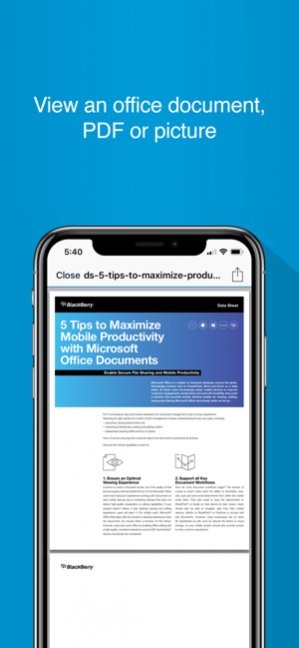


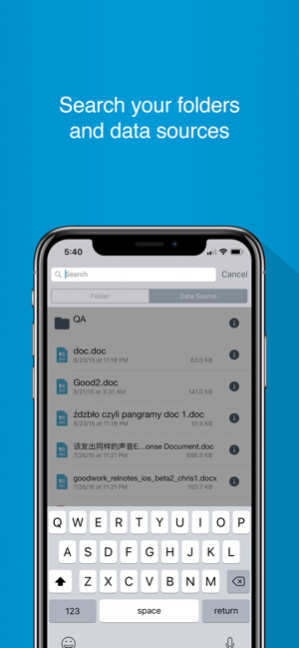
IMPORTANT NOTE: The BlackBerry Share application will not operate without the necessary back-end software. Please contact your IT administrator for a username and password.
BlackBerry ShareTM is a secure file sharing application that improves collaboration across enterprise workers. BlackBerry Share enables workers to access, sync and share corporate documents instantly from SharePoint and other file server repositories with no VPN, firewall re-configurations, or extra stores.
BlackBerry Share provides enterprise IT the assurance that their mobile workforce is compliant with regulatory requirements and that critical data is fully secured and protected.
End user features:
•Browse, download, upload, email, and delete corporate documents
•Save documents on the device for offline access
•Open documents in trusted, corporate approved applications for editing
•Access SharePoint sites and check documents in and out
•Make changes to documents and synchronize them back to file servers
•View the same network resource names on the iPad as on your PC
IT administration features:
•End-to-end security and governance
•Encrypt data in-transit and at-rest using FIPS-certified AES
•Integrate into your organization’s Active Directory, and Good’s user authentication protocol
•Provides the ability to specify an application level password for added protection in the event of device loss
•Supports granular document policies for regulatory or legal requirements
•Only allows documents to be shared by trusted, approved apps that are appropriate for productivity.
•Ensures multi-factor authentication for device and user validity
•Requires no need for device to be connected via VPN
•Keeps document audit logs and provides reporting by keyword search
•Automatically wipes saved “Favorites” following a time lapse if the device is lost, or IT administration can wipe documents remotely without interfering with personal information
Contact your business IT team to ask about powering your productivity with BlackBerry Share.
Sep 12, 2019 Version 3.2.8
- Bug fixes
About BlackBerry Share
The company that develops BlackBerry Share is Good Technology, Inc.. The latest version released by its developer is 3.2.8.
To install BlackBerry Share on your iOS device, just click the green Continue To App button above to start the installation process. The app is listed on our website since 2019-09-12 and was downloaded 0 times. We have already checked if the download link is safe, however for your own protection we recommend that you scan the downloaded app with your antivirus. Your antivirus may detect the BlackBerry Share as malware if the download link is broken.
How to install BlackBerry Share on your iOS device:
- Click on the Continue To App button on our website. This will redirect you to the App Store.
- Once the BlackBerry Share is shown in the iTunes listing of your iOS device, you can start its download and installation. Tap on the GET button to the right of the app to start downloading it.
- If you are not logged-in the iOS appstore app, you'll be prompted for your your Apple ID and/or password.
- After BlackBerry Share is downloaded, you'll see an INSTALL button to the right. Tap on it to start the actual installation of the iOS app.
- Once installation is finished you can tap on the OPEN button to start it. Its icon will also be added to your device home screen.
Program Details
System requirements
Download information
Pricing
Version History
version 3.2.8
posted on 2019-09-12
Sep 12, 2019 Version 3.2.8
- Bug fixes
version 3.2.4
posted on 2012-10-16
version 3.2.8
posted on 1970-01-01
12 сент. 2019 г. Version 3.2.8
- Bug fixes
Disclaimer
Official App Store Link
We do not host BlackBerry Share on our servers. We did not scan it for viruses, adware, spyware or other type of malware. This app is hosted by Apple and passed their terms and conditions to be listed there. We recommend caution when installing it.
The App Store link for BlackBerry Share is provided to you by apps112.com without any warranties, representations or guarantees of any kind, so access it at your own risk.
If you have questions regarding this particular app contact the publisher directly. For questions about the functionalities of apps112.com contact us.
